What a ReSync Walk Check-In Records
A clear explanation of ReSync's optional post-walk check-in, what each answer records, what stays on the iPhone, and what the app does not infer.
The short answer: a ReSync check-in can record how the pace and walk felt, plus optional self-reported medication timing context. You can skip it entirely. ReSync does not turn those answers into a diagnosis or treatment recommendation.
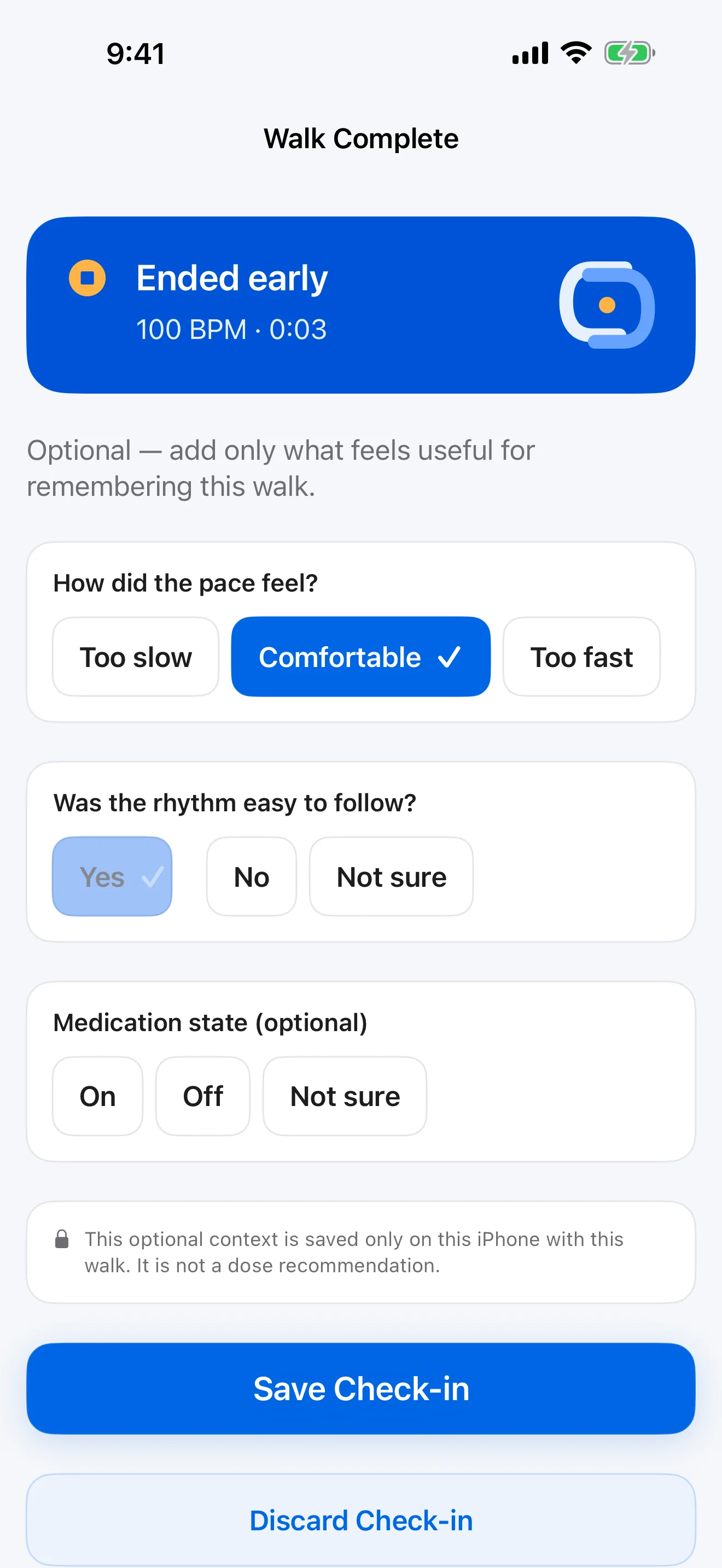
What can be recorded
- Whether the selected pace felt too slow, comfortable, or too fast.
- How easy or difficult it felt to settle into the rhythm.
- Broad medication timing context entered by the user, if they choose.
What is never required
There are zero required answers. Skipping does not block the next walk or remove the free rhythm-cue features.
What ReSync does not infer
ReSync does not adjust medication, compare treatment effectiveness, score symptoms, or claim that walking improved. Medication context remains exactly that: optional context entered by the user.
Where the answers go
Check-in answers stay in ReSync’s local app data on the iPhone. There is no ReSync account, iCloud sync, analytics SDK, or advertising profile. A PDF, CSV, or Markdown summary leaves the app only when the user intentionally exports it.
You can delete an individual session or all ReSync data. For the complete handling description, read the ReSync Privacy Policy.
A useful review question
Instead of asking “Did this prove improvement?”, ask “What did I record about this specific walk?” That keeps the entry descriptive and within the product’s wellness boundary.