
Quick Cue
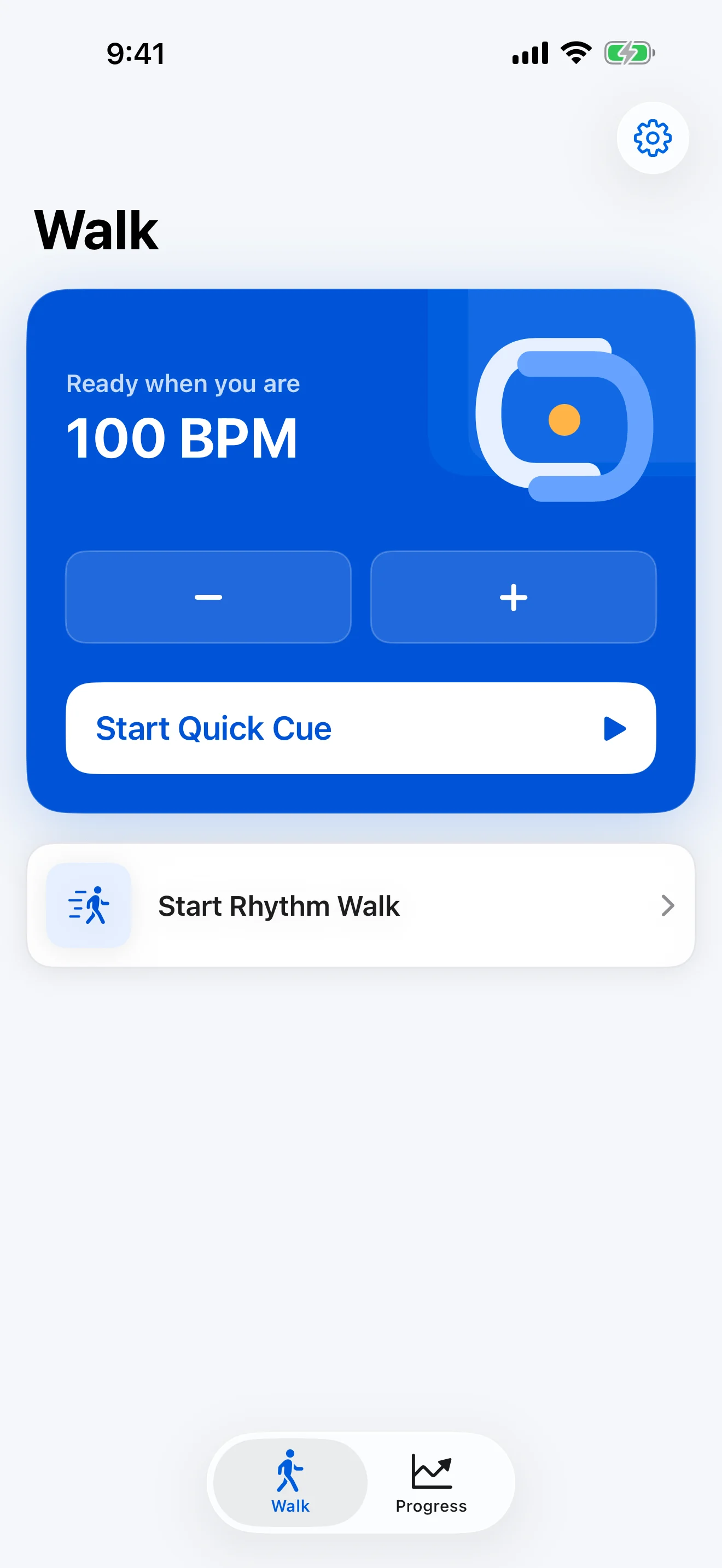
Start your saved tempo with minimal setup. Pause, adjust, or stop from a focused player.

For people living with Parkinson's who want a calmer way to start a rhythm cue.
ReSync starts with one useful action: choose a comfortable tempo and begin an audio or haptic cue. After a short Rhythm Walk, save only the context that may help next time.
Wellness and self-management support only. ReSync is not a medical device, treatment, emergency service, or fall-prevention system.
The point of view
A generic metronome can play a beat. ReSync is shaped around the moment before a walk: fewer decisions, clear controls, and a factual memory of what you chose.
Start your saved tempo with minimal setup. Pause, adjust, or stop from a focused player.
Short and controlled
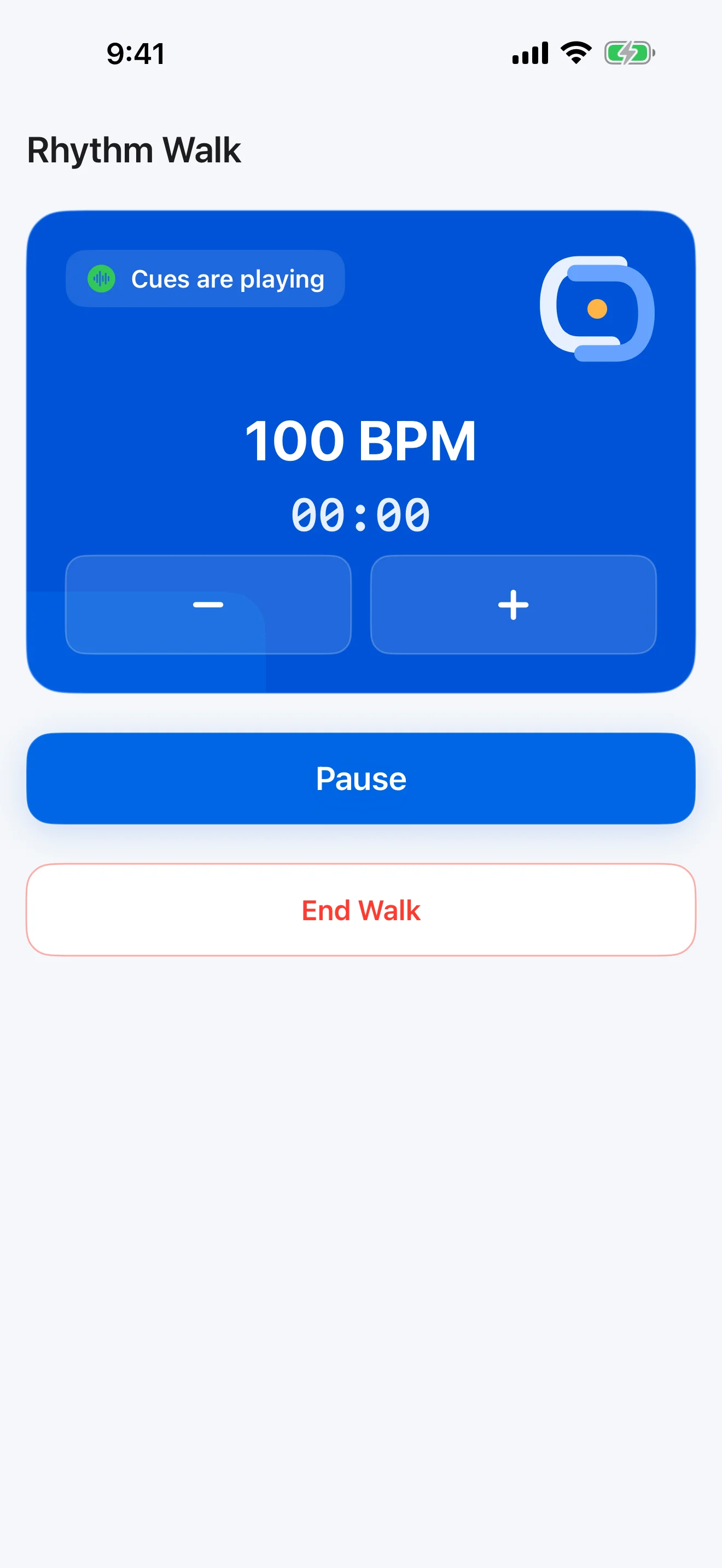
Choose a 5, 10, or 15 minute session with visible tempo, time, pause, and stop controls.
Your description
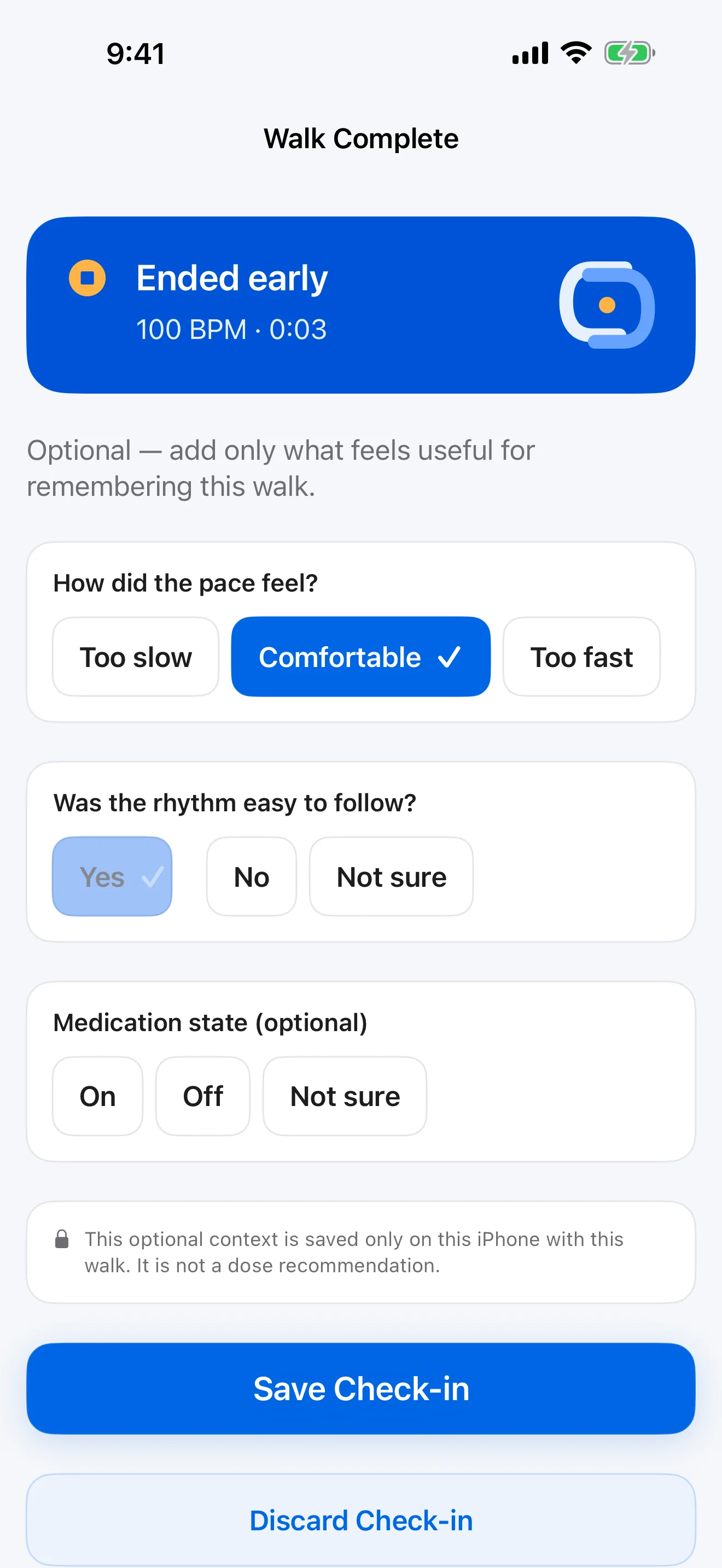
Remember duration, BPM, and optional answers without turning them into a clinical score.
Real product proof
These are current ReSync screens, not concept art or a simulated dashboard.
01
Use your saved tempo or adjust it while standing still.
02
See the tempo and time, then pause, adjust, or stop whenever you need.
03
Optionally save how the session felt—or skip the check-in.
Trust is a product feature
ReSync supports a user-controlled rhythm practice. It does not diagnose, prescribe, monitor, promise safer walking, or infer treatment effects.
No ReSync account, analytics, advertising, or iCloud sync.
Choose the tempo. Pause, stop, skip answers, or delete local data.
Quick Cue and the core Rhythm Walk loop remain available without a subscription.
History reflects sessions and answers you entered, not clinical conclusions.
Start with one cue
Choose a comfortable tempo, start when you are ready, and keep the session context you decide to save.